Technical
November 2025 7 min readXtream Codes vs. M3U Links: Which is Better for Your South Africa IPTV Setup?
Understanding the two main IPTV connection methods - Xtream Codes API and M3U playlist links - and which one works best for South African subscribers.
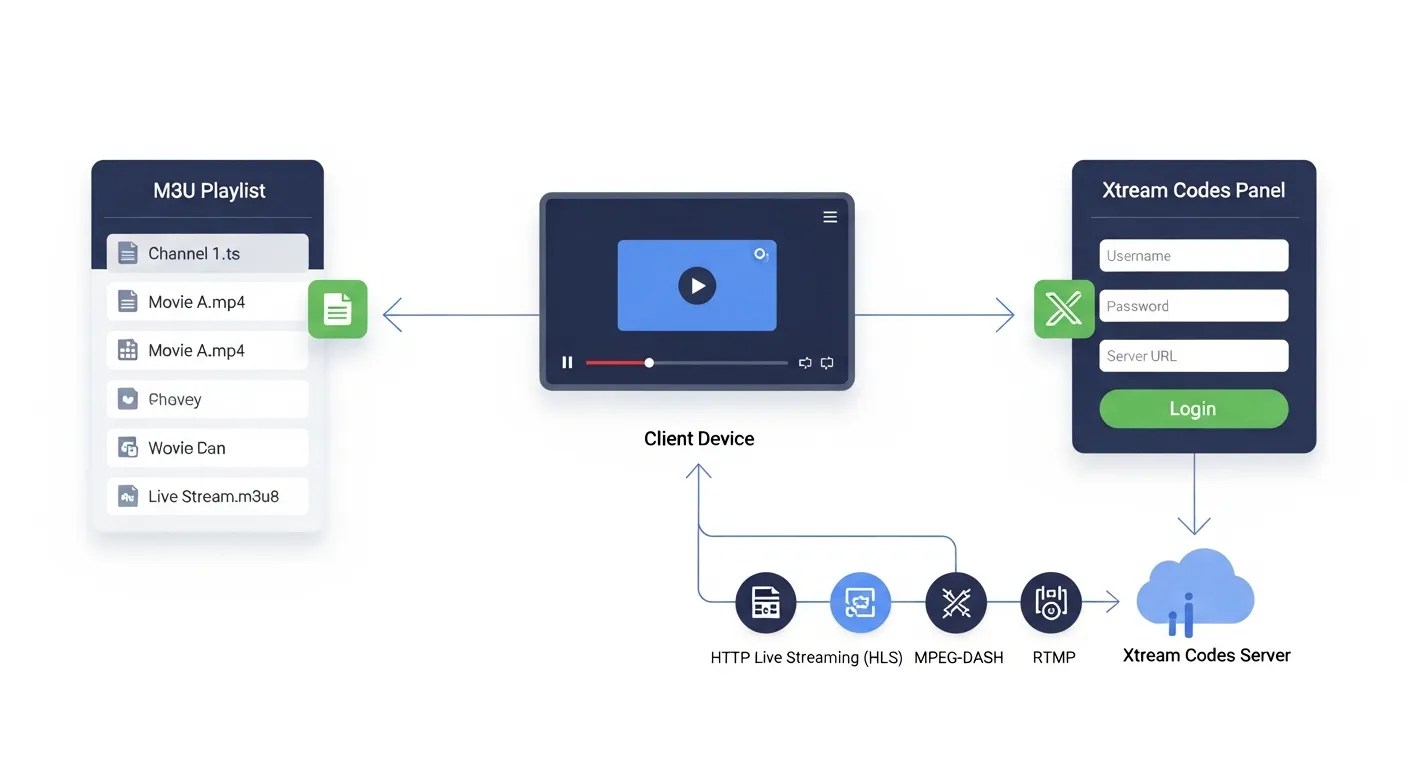
When you subscribe to an IPTV service like IPTV Smart Pro, you receive two types of login credentials: Xtream Codes and an M3U playlist link. Both connect you to the same channels and content, but they work differently under the hood. Understanding the difference helps you choose the best method for your specific device and viewing habits.
Xtream Codes API is the more modern and feature-rich connection method. When you log in using Xtream Codes, you enter a server URL, username, and password into your IPTV player app. The app then communicates directly with the IPTV server using a structured API, which provides organised channel categories, programme guide data, VOD sections, and catch-up functionality all in one clean package. Think of it as the premium, all-inclusive login method.
M3U is a playlist format that contains a list of channel URLs in a simple text file. When you use an M3U link, your IPTV player downloads this playlist and reads each channel entry sequentially. M3U is the universal format - it works with virtually every media player in existence, from VLC on your laptop to basic IPTV apps on older Smart TVs. If compatibility is your priority, M3U is the safest choice.
For most South African users, we recommend Xtream Codes as the primary connection method. It provides a better organised channel list with categories like South African Channels, Sports, Movies, Kids, and more. The EPG (Electronic Programme Guide) loads automatically, showing you what is currently playing and what is coming up next. VOD content is separated into its own section with search functionality. Catch-up is available for supported channels, letting you rewatch recent broadcasts.
M3U has its place in certain scenarios. If you use VLC Media Player on a computer, M3U is the natural format. If your Smart TV app only supports M3U (some older Samsung and LG apps), then M3U is your only option. M3U playlists can also be used with media centres like Kodi through PVR add-ons. Some users prefer M3U because they can edit the playlist file, reorder channels, and create custom groupings.
With IPTV Smart Pro, every subscription includes both Xtream Codes credentials and an M3U playlist link. You can use different methods on different devices - for example, Xtream Codes on your main Smart TV with IPTV Smarters Pro for the full-featured experience, and M3U on your laptop with VLC for casual viewing. There is no performance difference between the two methods; they connect to the same servers and deliver the same stream quality.
One practical tip: save your credentials securely. Take a screenshot of your welcome email or write down your server URL, username, and password. If you ever need to set up a new device or reinstall an app, having these details handy saves time. IPTV Smart Pro's WhatsApp support can also resend your credentials if you misplace them.